Gitee integration
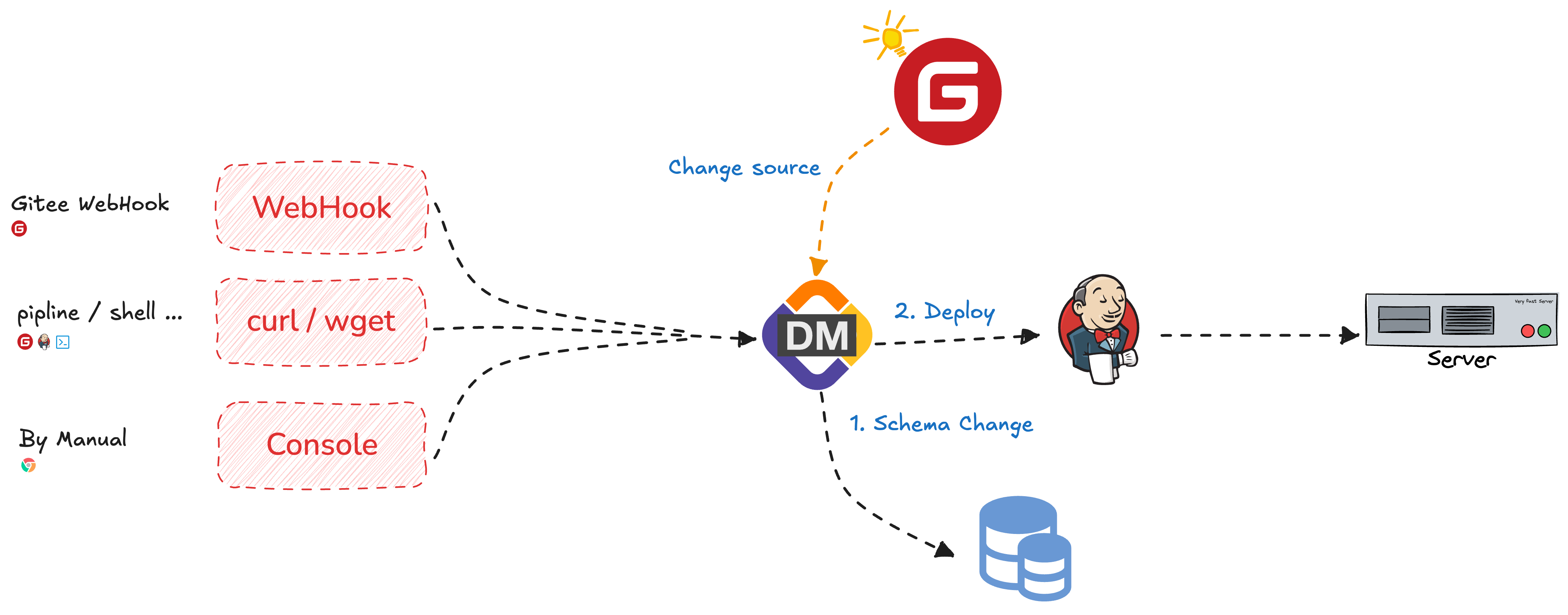
If you version SQL changes in Gitee, you can use the repository as a CloudDM Git Ops change source. Create a dedicated release account and grant it the repository access needed to retrieve changes.
The provider screenshots in this guide show its Chinese interface.
Configure the integration
- Sign in to CloudDM with permission to manage integrations.
- Sign in to Gitee using the release account and open Settings from the avatar menu.
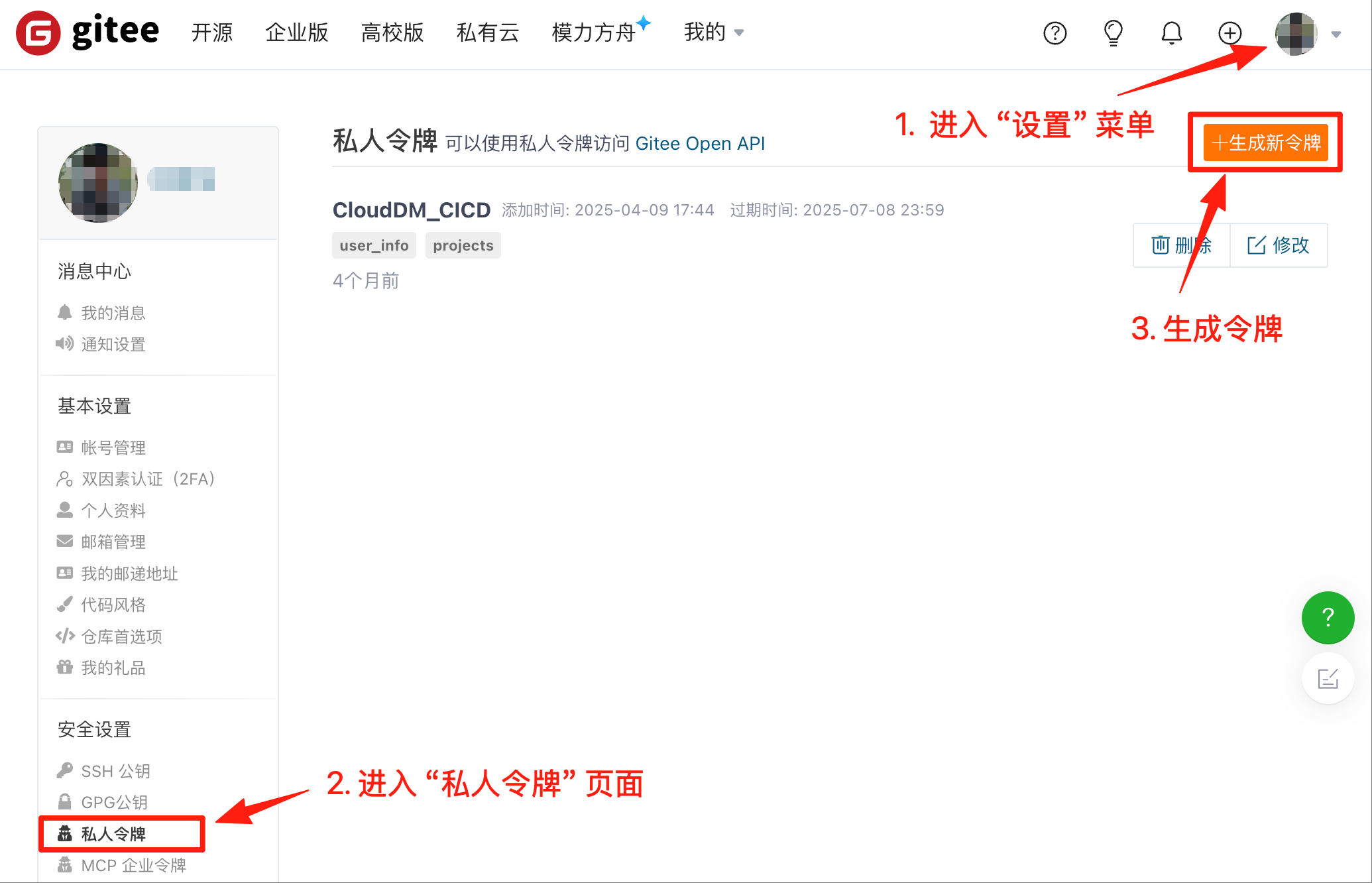
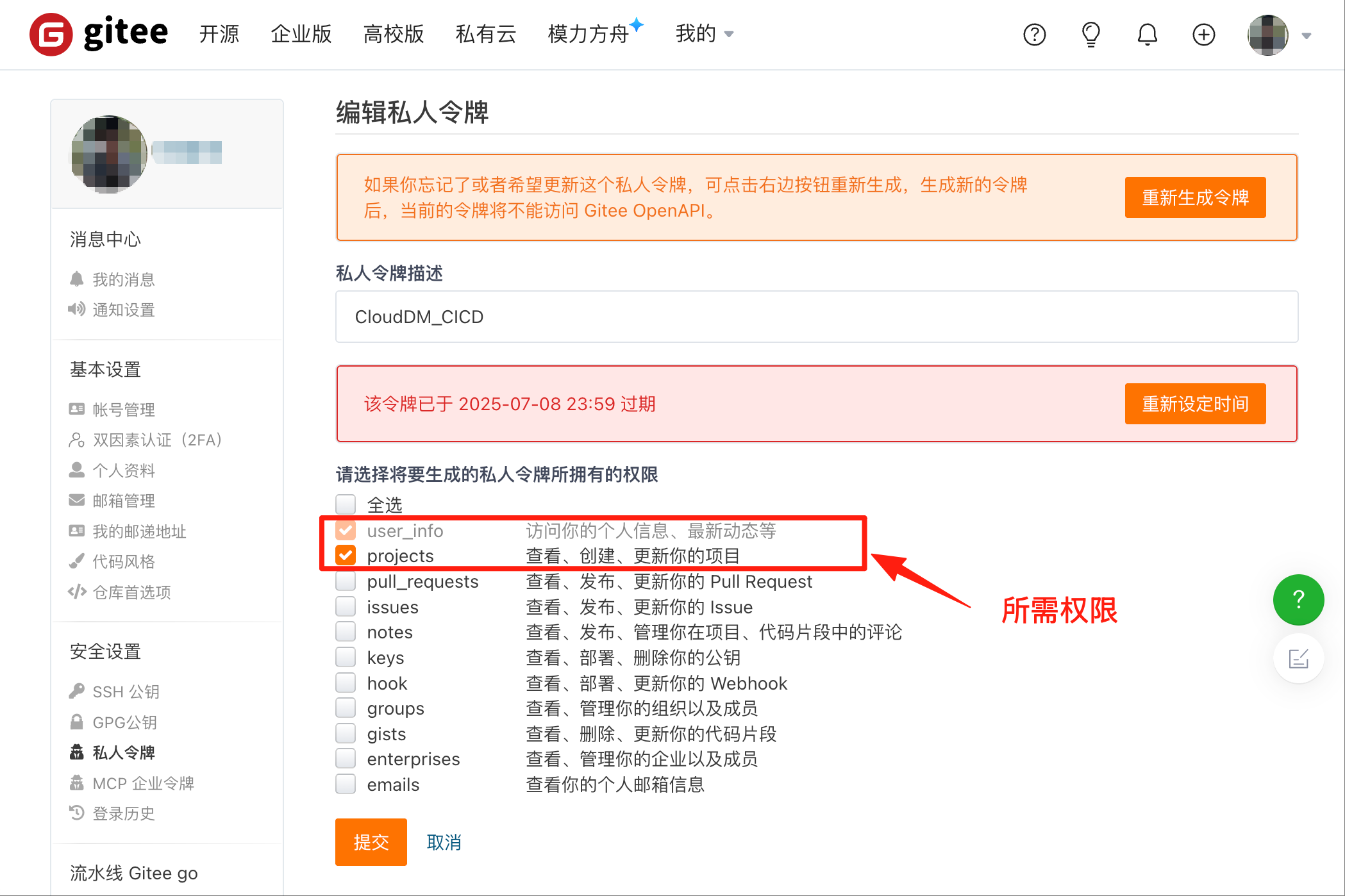
- Create a Personal Access Token with the minimum permissions needed to read profile information and access the repository.
- In CloudDM, open Integrations > Git Ops and click Add.
- Select Gitee.
- Enter a Name. The Service URL is set to
https://gitee.com/. - Enter the Access Token.
- Click Test. Once the connection succeeds, click Add.
Configure the webhook
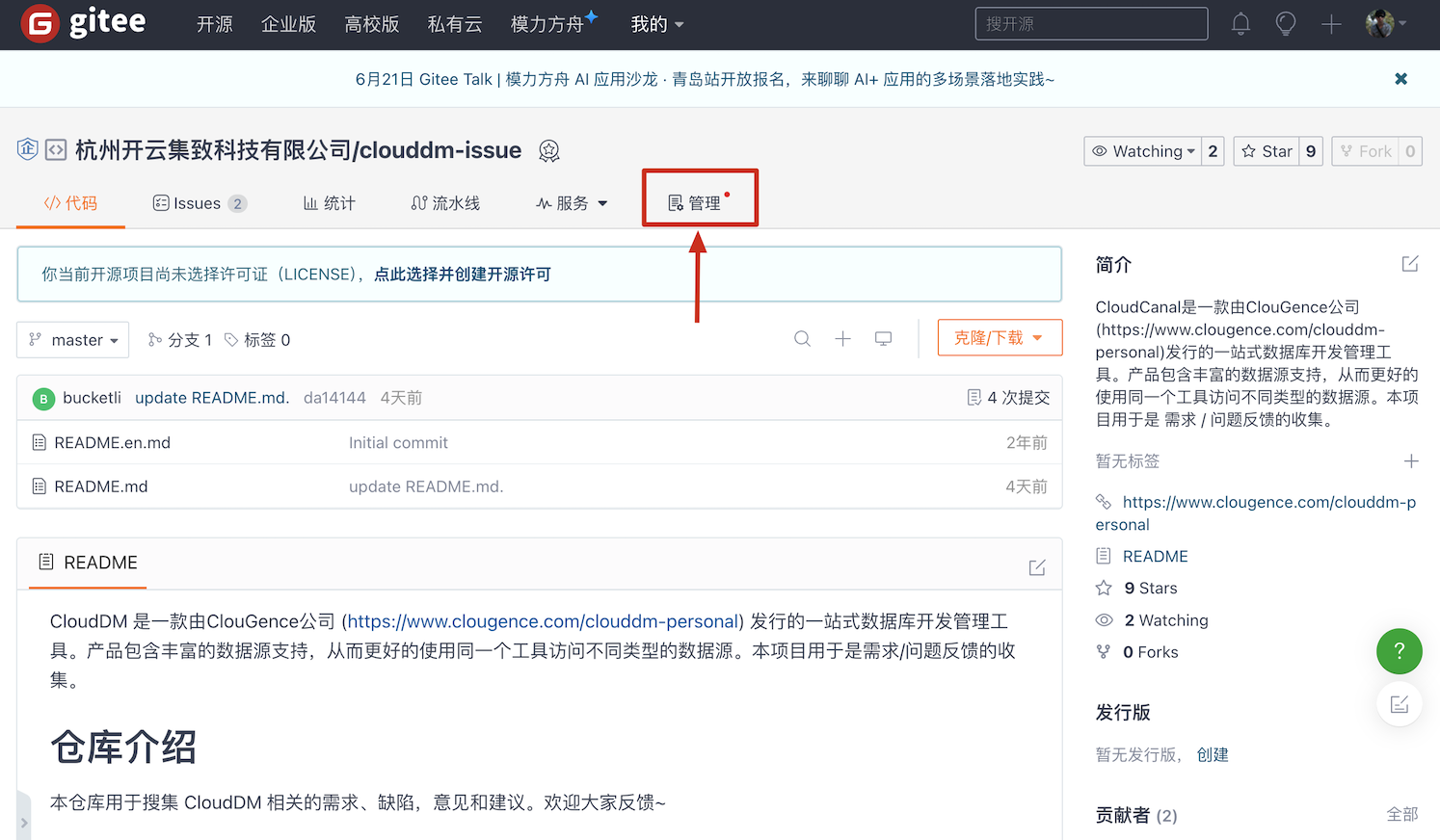
- Sign in to Gitee with the release account and open the target repository.
- Under Manage, open WebHooks.
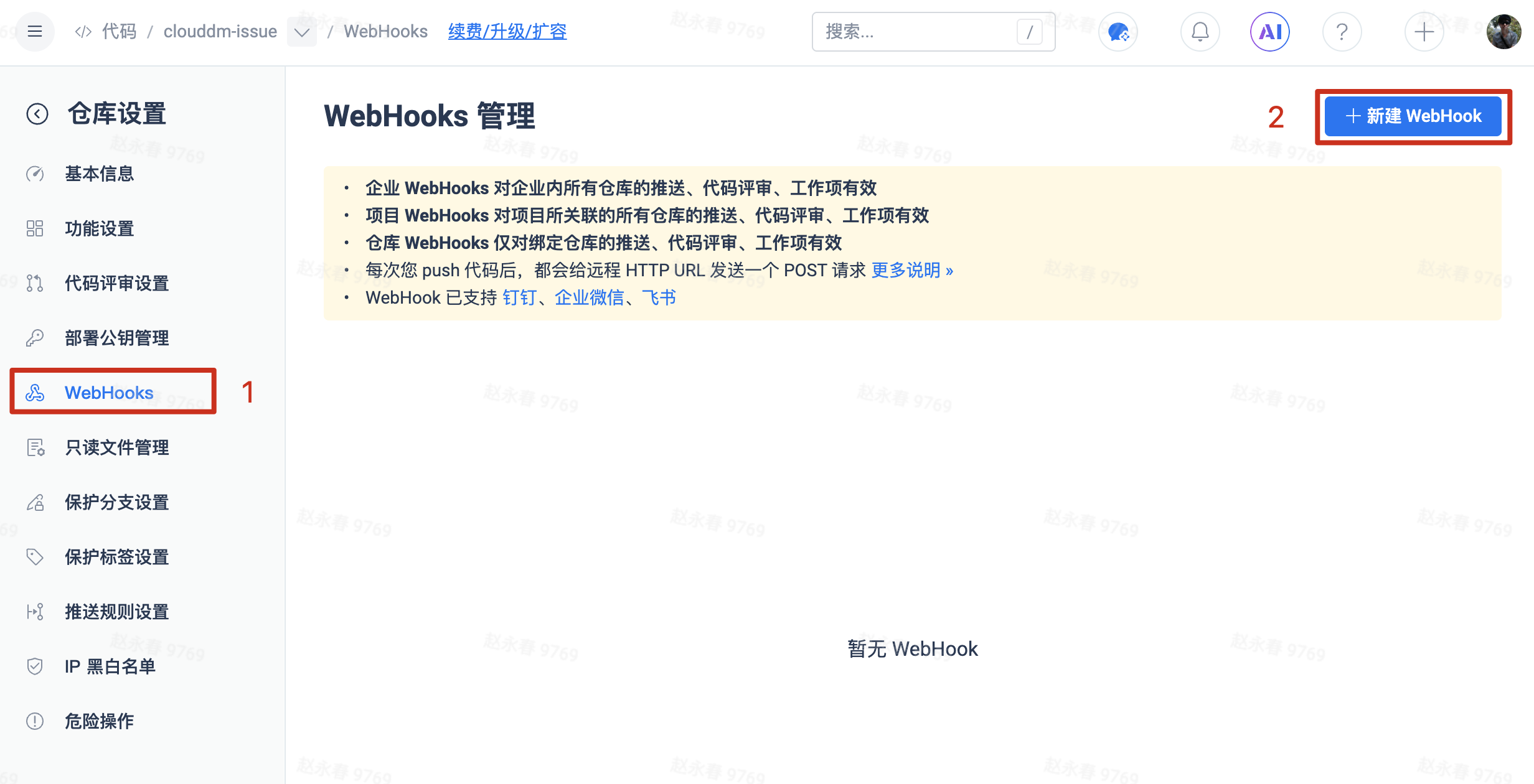
- Enter the webhook URL and password generated by the CloudDM change flow. Select Password as the authentication method.
- Select the code push, branch, tag, or merge request events required by your change flow.
- Enable and save the webhook, then verify the trigger with a test commit or merge request.