Product overview
CloudDM helps people in different roles develop and work with databases as a team. It focuses on enterprise data security, reliability, and ease of use. Its tools simplify everyday database work, while workflows coordinate database changes across environments.
Core capabilities
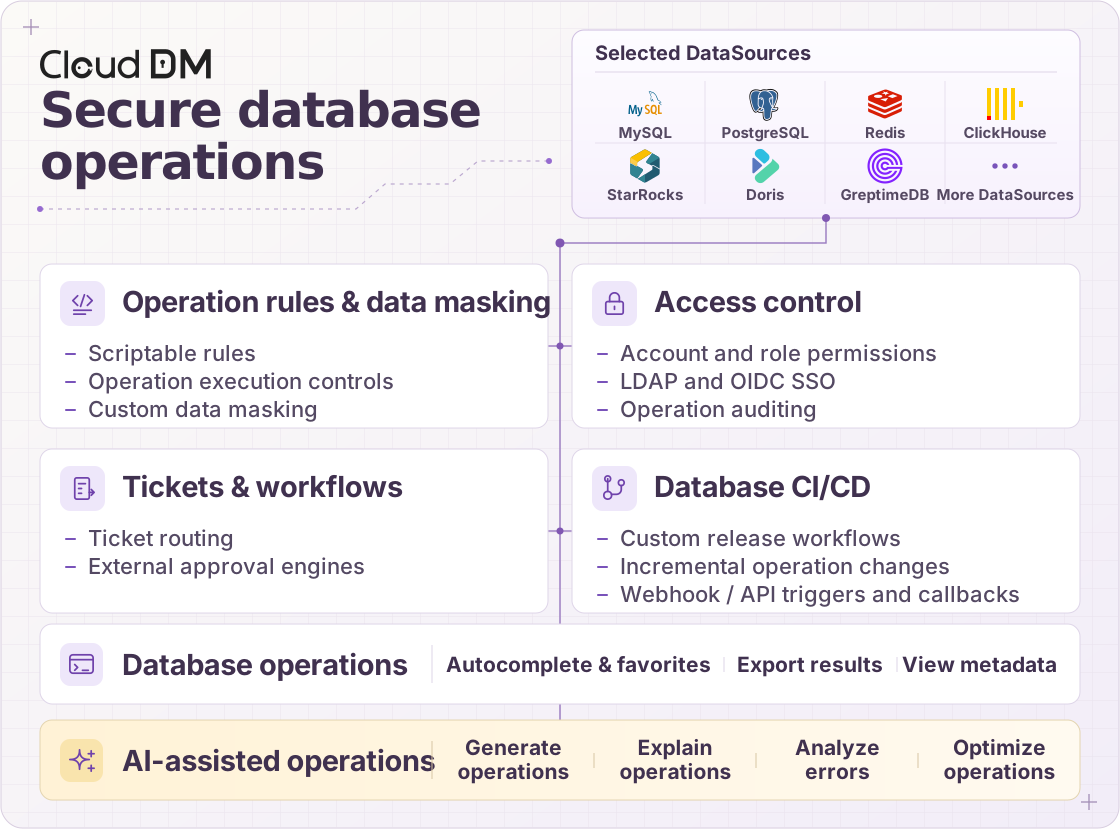
DataSource support
- CloudDM supports self-hosted databases and major cloud databases. See the full list of supported DataSources.
Access
Authorize database access through a shared platform instead of distributing direct connections, and check SQL statements before execution.
- SQL review helps keep data access secure.
- Security rules and conventions help prevent unsafe queries from damaging data or affecting database stability.
- Role-based access control (RBAC) provides granular permissions.
- Assign roles to determine which product features each team member can use.
- Use resource permissions to control access to database resources.
- A query console supports everyday development.
- Syntax highlighting, code completion, SQL execution, table structure inspection, and DDL conversion help improve productivity.
Collaboration
Use tickets and workflows to coordinate database changes, helping DBAs and administrators manage releases.
- Review and trace changes to critical data assets.
- Separate ticket submission and approval responsibilities to identify risks before execution and follow compliance requirements.
- Review historical tickets to understand who made a change, when and where it happened, and its causes and impact.
- Check ticket contents against security rules.
- Run checks when a ticket is submitted to reduce manual review work.
- Extend built-in checks with custom rules written in the rule DSL to meet your organization's standards.
- Choose workflows that fit your organization.
- Use CloudDM's built-in workflow engine to keep your toolchain simple.
- Connect an external workflow engine to follow existing approval processes.
Security
CloudDM provides several ways to protect data access.
- Separate feature permissions from resource permissions.
- Roles determine which product features each team member can use.
- Resource permissions control access to the underlying data resources.
- Mask sensitive data.
- Apply data masking to help prevent sensitive information from being exposed.
- Integrate with enterprise identity systems.
- Connect OpenLDAP or Active Directory to centrally manage employee accounts.
Use cases
Small teams
In small teams, people often cover several roles and work closely toward shared goals. CloudDM combines security controls with practical tools to help them work efficiently.
- Security
- Avoid distributing direct database connections, reducing the risk that a compromised local computer will expose critical business data.
- Efficiency
- Accessible tools and a straightforward interface help team members get productive with databases.
Medium-sized teams
As specialists join a growing team, collaboration involves more roles and responsibilities. CloudDM adds rules, standards, and ticket workflows to support that growth.
- Processes
- Use the ticket system's request, approval, and confirmation steps to establish controlled workflows.
- Standards
- Customize SQL validation rules with CloudDM's DSL rule engine.
- Define database conventions that suit your team and help protect business data.
Large teams
Large organizations face more complex staffing, technology, and business requirements. CloudDM supports their management practices through permission separation, high-availability deployment, and unified authentication.
- Reliability
- Validate query SQL against rules to help protect important database environments. High-availability deployment adds resilience for the platform and its users.
- Responsibilities and permissions
- Manage feature permissions and resource permissions separately to match different roles.
- Integration
- Connect CloudDM to existing IT systems through unified authentication.