Cluster mode
In cluster mode, CloudDM uses query machines to perform database access tasks. Open Data Access > Query Machines to manage them.
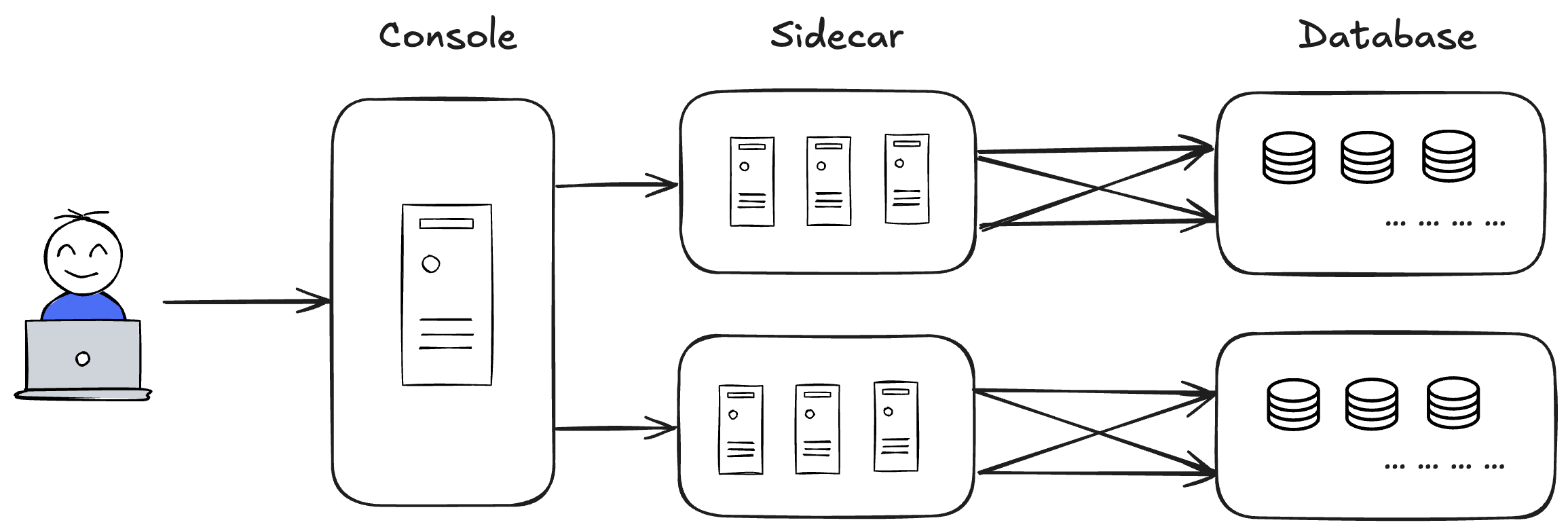
Cluster list
Filter by cluster name. The list shows the following fields.
- Cluster name and description
- Total, available, and unavailable machine counts
- Creation time
- Available actions
Add a cluster
- Open Data Access > Query Machines.
- Click Add Cluster.
- Enter the cluster's Description.
- Select a Region. For a cluster without a region restriction, keep the default.
- Save the cluster.
Manage query machines
In the cluster list, click Workers for the target cluster. Filter by machine ID or name. The list shows the following fields.
- ID, name, IP address, and status
- Load, CPU usage, and JVM memory usage
- Current and maximum session counts
You can edit the machine name in the list. Each machine offers the following actions.
- Start moves a machine that is Offline or Waiting for offline to Waiting to Go Online.
- Stop moves a machine that is Online, Waiting to Go Online, or Abnormal to Waiting for offline.
- Configuration shows the settings a self-hosted query machine needs to connect to the Console.
- Delete is available when the machine's status allows removal.
Add Sidecars to a cluster
- Open Workers for the target cluster and click Add Worker.
- Click Generating Unique Identification.
- Transfer the Sidecar client archive to the target machine and extract it outside the user's home directory.
- In the worker list, click Configuration for the new worker. Copy the full configuration into the client's
global_conf.properties. - Run the Sidecar startup script as a non-root user.
- Return to the worker list and confirm that the new worker is Online.